HOKIO / INTEGRATION GUIDES
Receive local Express webhooks with Node.js and Hokio
Create a small Express JSON endpoint on localhost, test it with curl, and connect a permanent Hokio HTTPS URL.
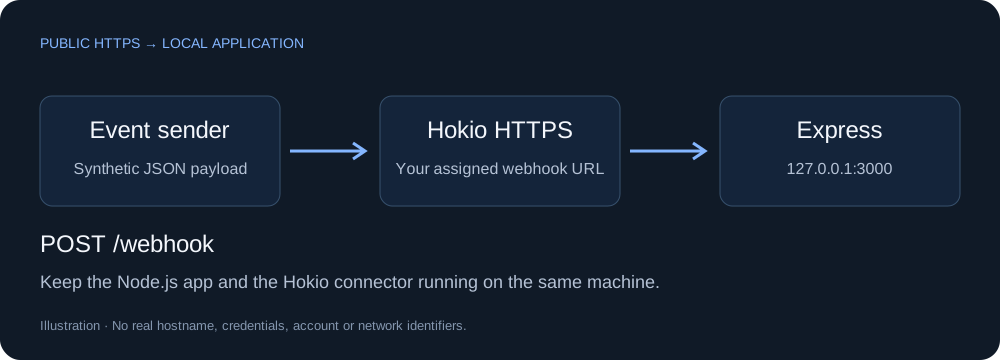
1. Create a local Node.js receiver
Use a supported Node.js LTS release. In an empty demo folder, run:
npm init -y
npm install express
Save this as server.cjs. The receiver binds to loopback, limits JSON to 64 KiB, and performs no business actions:
const express = require('express');
const app = express();
app.use(express.json({ limit: '64kb', strict: true }));
app.get('/health', (_req, res) => res.json({ ok: true }));
app.post('/webhook', (req, res) => {
  if (!req.is('application/json')) return res.sendStatus(415);
  const body = req.body;
  if (!body || Array.isArray(body) || typeof body.event !== 'string') {
    return res.status(400).json({ error: 'event is required' });
  }
  res.json({ received: true, event: body.event });
});
app.use((err, _req, res, _next) => {
  const status = err.status === 413 ? 413 : 400;
  res.status(status).json({ error: 'invalid request body' });
});
app.listen(3000, '127.0.0.1', () => {
  console.log('Listening on http://127.0.0.1:3000/webhook');
});
node server.cjs2. Test locally, then connect port 3000
Create event.json containing:
{"event":"task.completed"}curl -i -X POST http://127.0.0.1:3000/webhook -H "Content-Type: application/json" --data-binary @event.jsonUse curl.exe in Windows PowerShell. Expect HTTP 200 with {"received":true,"event":"task.completed"}. Install Hokio via Quick Start. In Windows select local port 3000; on Linux:
hokio-agent login --panel-url https://hokio.dev --port 3000 --connectRedeem your one-time code when prompted. With the assigned hostname, repeat:
curl -i -X POST https://YOUR_ASSIGNED_HOKIO_HOST/webhook -H "Content-Type: application/json" --data-binary @event.json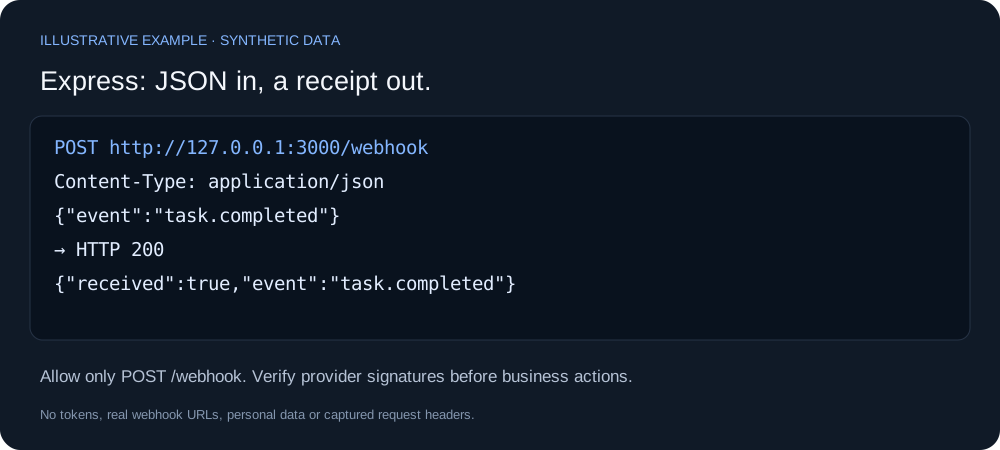
3. Protect the real integration
Allow only POST and /webhook in Hokio. Add sender authentication, verify provider signatures, and handle duplicate events before real actions. Many signatures require the original raw bytes: the demo's express.json() middleware is not a signature verifier. Use the provider's documented raw-body integration for signed webhooks.
If port 3000 is occupied, change both app.listen and Hokio's selected port. Keep the process and connector running. An unchanged public address cannot deliver requests while the device is offline.
Official references: Express application basics and JSON middleware.