HOKIO / INTEGRATION GUIDES
Receive local FastAPI webhooks with Python and Hokio
Build a validated FastAPI webhook receiver, run it on loopback with Uvicorn, and test it through Hokio.
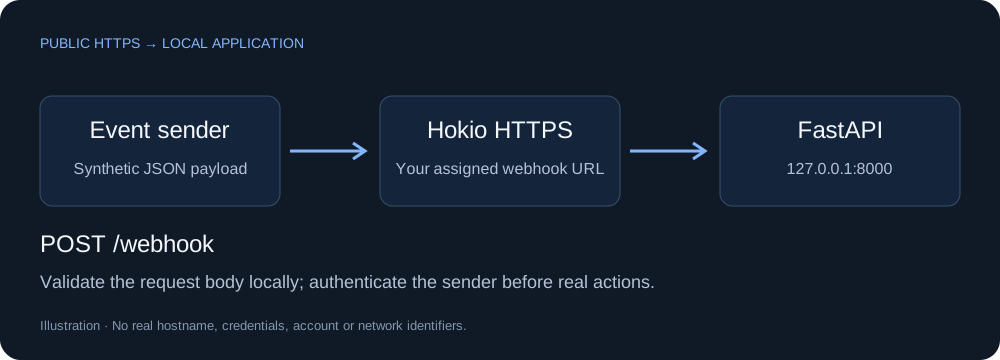
1. Build a validated Python receiver
Use Python 3.11 or newer in an empty demo folder. Create and activate a virtual environment (python -m venv .venv), then install:
python -m pip install fastapi uvicornSave as main.py:
from fastapi import FastAPI
from pydantic import BaseModel, Field

app = FastAPI(docs_url=None, redoc_url=None, openapi_url=None)

class Event(BaseModel):
    event: str = Field(min_length=1, max_length=100)
    job_id: str | None = Field(default=None, max_length=200)

@app.get('/health')
def health():
    return {"ok": True}

@app.post('/webhook')
def webhook(payload: Event):
    return {"received": True, "event": payload.event}
python -m uvicorn main:app --host 127.0.0.1 --port 8000The app listens only on loopback. Interactive API documentation is disabled in this demo. Pydantic validates fields; it does not authenticate the sender or impose an HTTP body-size limit. Configure a suitable request-size limit on your public endpoint.
2. Check the event before exposing it
Create event.json:
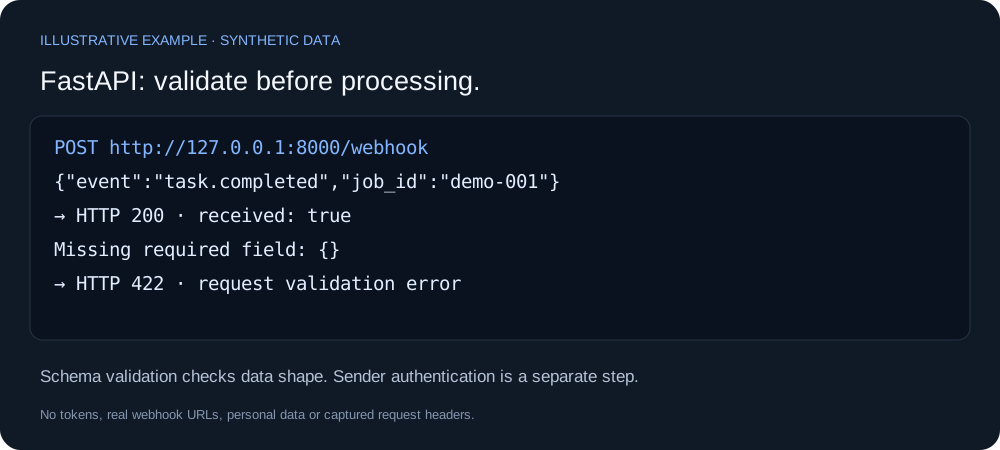
{"event":"task.completed","job_id":"demo-001"}curl -i -X POST http://127.0.0.1:8000/webhook -H "Content-Type: application/json" --data-binary @event.jsonWindows PowerShell: use curl.exe. Expected: HTTP 200 and {"received":true,"event":"task.completed"}. An object without event returns a validation error with HTTP 422.
3. Connect Hokio and send the public request
Install Hokio through Quick Start. In Windows select local port 8000. On Linux, register with your one-time device code:
hokio-agent login --panel-url https://hokio.dev --port 8000 --connectcurl -i -X POST https://YOUR_ASSIGNED_HOKIO_HOST/webhook -H "Content-Type: application/json" --data-binary @event.jsonUse the hostname actually assigned to your connector. Restrict the endpoint to POST and /webhook. Verify sender authentication and signatures before real actions, and implement idempotency for retries. If port 8000 is busy, choose a free Uvicorn port and match it in Hokio.
Official references: FastAPI first steps and request body validation.